

Get in Touch
Move to Webflow without putting your rankings at risk

Website migrations fail when SEO is treated as an afterthought
A cleaner Webflow site is only a win if the move does not damage the search visibility, content structure, or conversion paths your business already depends on.
Rankings can drop after launch
Changed URLs, missing redirects, broken metadata, or removed content can quickly turn a redesign into an SEO problem.
CMS structure gets rebuilt too late
If collections, templates, and fields are not planned before the build, the site becomes harder to manage as content grows.
Tracking and forms break silently
Analytics, events, forms, and conversion paths often get missed during migration QA.
Teams lose editing control
A migration should make the website easier to operate, not create another fragile system that needs developer help for every change.
A migration process built around SEO, structure, and launch control
Quovo plans and rebuilds your website in Webflow with the technical details handled before launch. The goal is not just to move the design. It is to preserve what already works, fix what is holding the site back, and give your team a cleaner system to grow with.
What this includes:
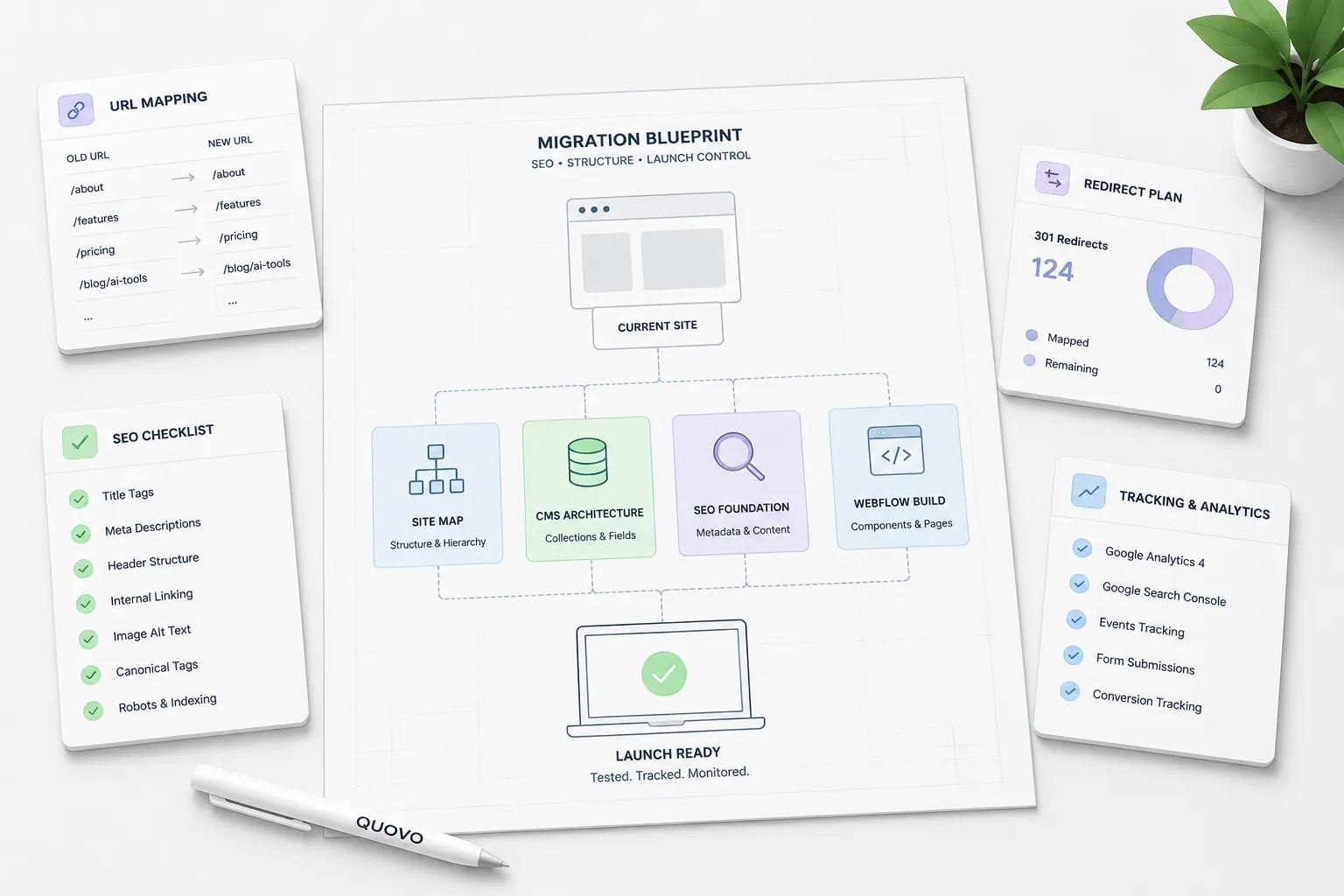
What a safer Webflow migration should give you
Protected search visibility
Important URLs, metadata, content, and redirects are handled deliberately so the migration does not create avoidable ranking loss.
A cleaner CMS foundation
Your content structure is rebuilt so landing pages, blogs, case studies, and future resources are easier to manage.
A better conversion path
The migration is also a chance to improve clarity, page flow, CTAs, forms, and trust signals across the site.
More control after launch
Your team gets a Webflow system that is easier to update without relying on developers for basic marketing changes.
How the migration works
A safe migration needs structure before speed. Quovo maps the existing website, plans the Webflow setup, rebuilds the site with SEO details preserved, and checks the launch carefully before and after go-live.
Audit the current website
We review the existing structure, priority pages, SEO signals, forms, analytics, and conversion paths before anything moves.
Plan the migration structure
We map URLs, redirects, CMS collections, templates, navigation, and priority pages so the Webflow build has a clear foundation.
Build and prepare for launch
The site is rebuilt in Webflow with scalable CMS structure, responsive layouts, clean page hierarchy, editable components, metadata, and redirect planning in place.
QA and monitor after launch
Before and after go-live, we check redirects, metadata, forms, tracking, responsive behavior, indexing, traffic, and early SEO signals so issues can be caught quickly.





Is this the right service for you?
Not the best fit if:
Best fit if:
Helpful migration resources



Everything you
need to know today
Can you migrate a website to Webflow without losing SEO?
A migration can never guarantee zero movement in rankings, but the risk can be reduced with proper URL mapping, redirects, metadata migration, content preservation, QA, and post-launch monitoring.
Do you handle redirects?
Yes. Redirect planning is part of the migration process, especially for pages that already rank, receive traffic, or support conversions.
Can you migrate from WordPress to Webflow?
Yes. Quovo can help move WordPress sites into Webflow with a cleaner CMS structure, improved editing experience, and SEO-aware launch planning.
Do you rebuild the CMS too?
Yes. CMS planning is a core part of the service. The goal is to make blogs, case studies, landing pages, and future content easier to manage after launch.
Do you check analytics and forms before launch?
Yes. Forms, tracking, analytics, and important conversion paths are checked before launch so the new site can be measured properly.